Process Simulator
The process simulator performs physics-based simulation of semiconductor fabrication processes.
| Salient Features |
|
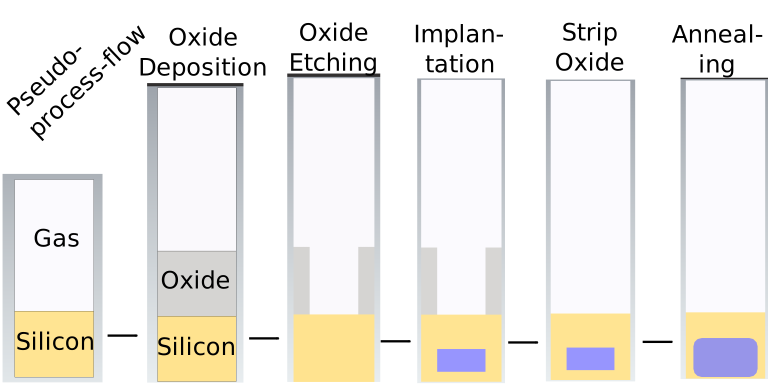
Pseudo-process Mode
- Pseudo-process mode enables running fast 2D and 3D process simulations by performing pure geometric operations.
- Highly useful in iterative process-flow development.
- Easy use: Just enable pseudo-process mode in the initialization.
- Add the process steps exactly as before.
- Save the structure after each process step.
- Visualize the structure using a STEP viewer.
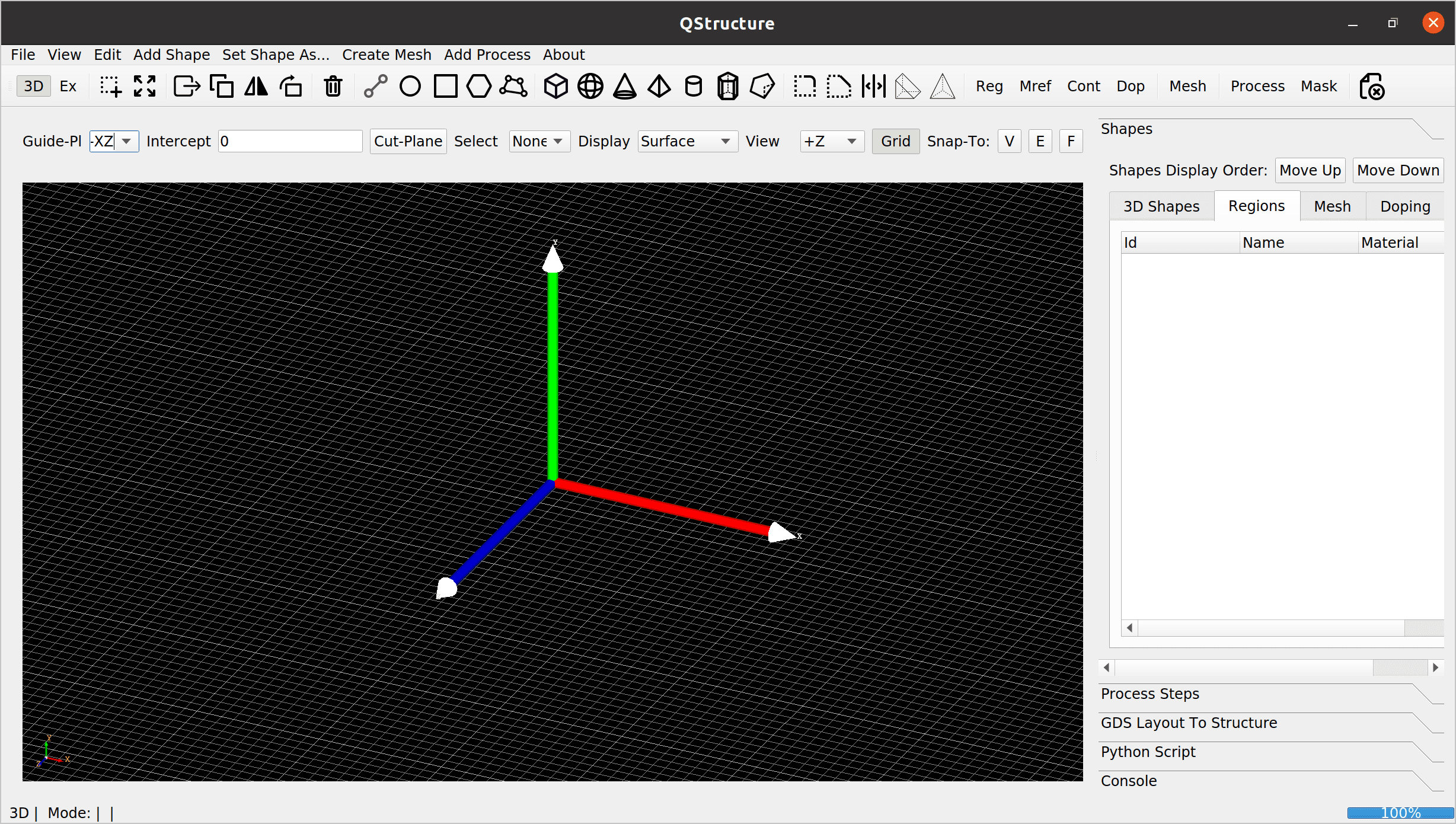
Process Generator - A user-friendly GUI for
- Generate initial structure
- Add process steps and define masks
- Design process flow using pseudo-process simulation
- Visualize and edit pseudo-process flow on-the-go
- Perform full process simulations OR
- Export python script for full process simulations
Process Generator - GUI
Python Interface
- Python-interface enables scripting and parametrization of the process flow generation task.
- An example code (without all the functions) looks as follows:
import prosolver as pr
dioPro = pr.Process (...)
...
dioPro.setRegion (...)
...
dioPro.createDeviceMesh ()
dioPro.deposit (...) #dep oxide
dioPro.mask (...) #set mask
dioPro.etch (...) #masked etch
dioPro.implant (...) #masked implant
dioPro.etch (...) #strip etch
dioPro.anneal (...) #anneal wafer - For detailed description, please refer to the user-guide and the examples therein.
Structure from GDS Layouts
- GDS Layout import can generate regions by sweeping masks vertically
- Can also create doping distribution using GDS mask.
User-manual and examples
- A detailed user-manual describing physic behind semulated process step
- Process simulator GUI
- Settings in a config file and their use
License Purchase
- Please send an email to info@semivi.ch.